Subscription Renewal Reminders
This article covers how to send subscription renewal reminders through PCRT.
Renewal reminders need to be checked daily. Reminders populate for sending fourteen (14) days prior to the renewal date.
Sending Reminders
In PCRT, hover over the store name in the top left corner of the landing page to expand the drop down menu. Click Subscriptions from the available options in the _Repairs_ column.
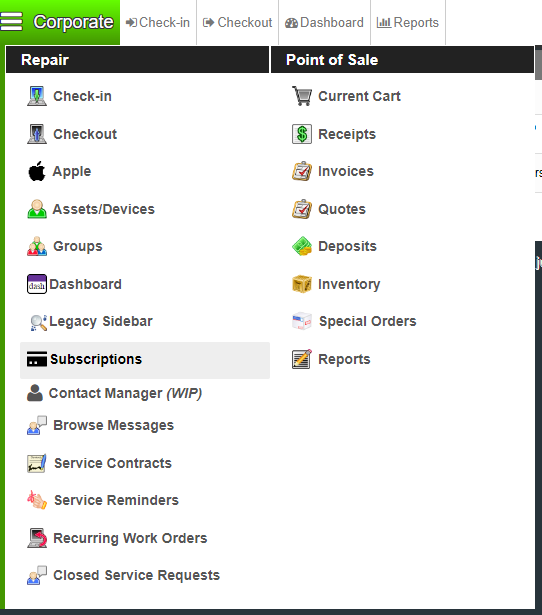
You will load into the Browse Subscriptions page.
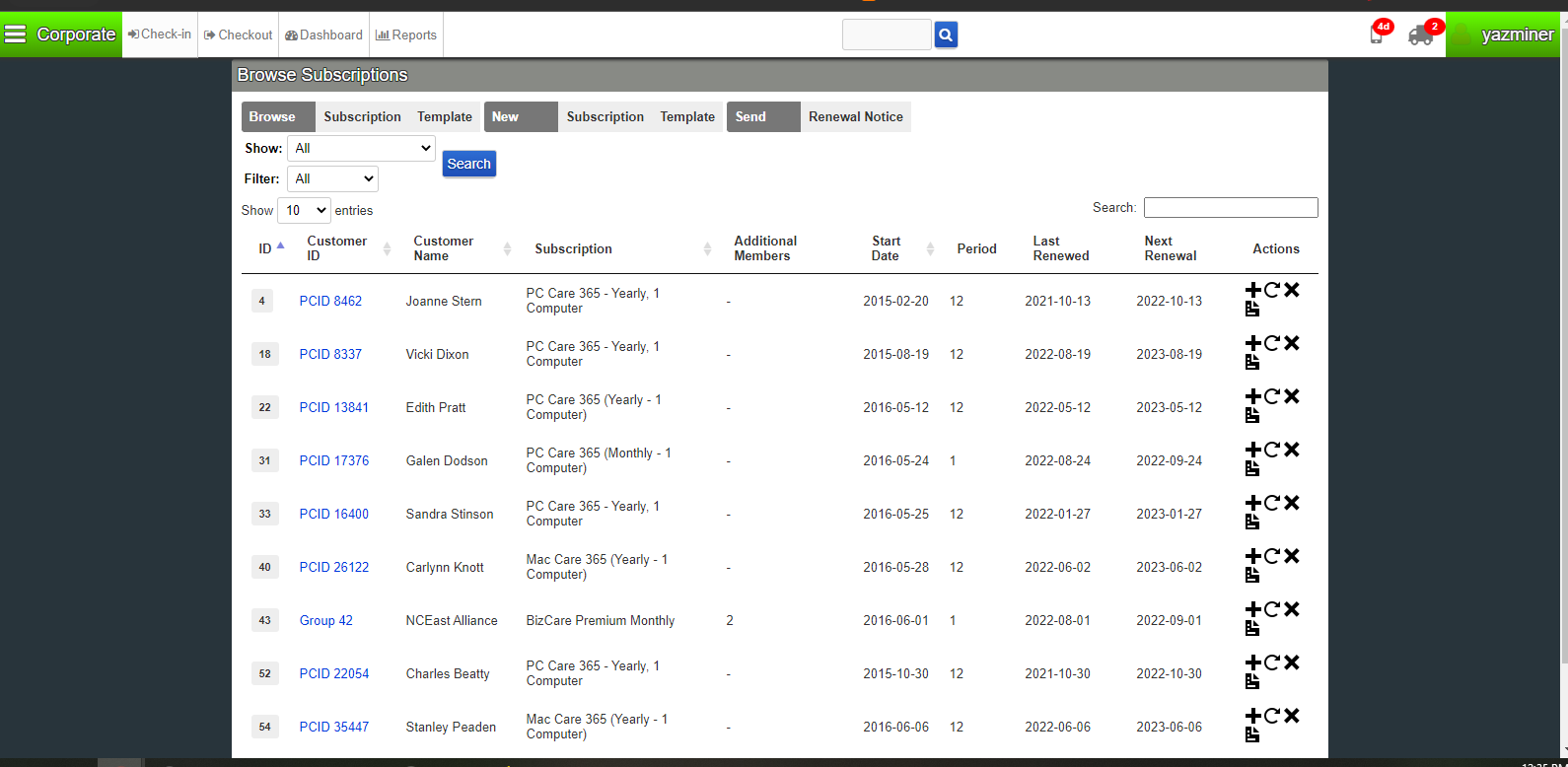
Under the title of the page, there is a navigation bar broken into three sections: _Browse, New_, and _Send_. Each has buttons you can press for different tasks. Click on Renewal Notice from the _Send_ section. The next page will take a few seconds to load as it is preparing previews of the renewal reminder messages needing to be sent.
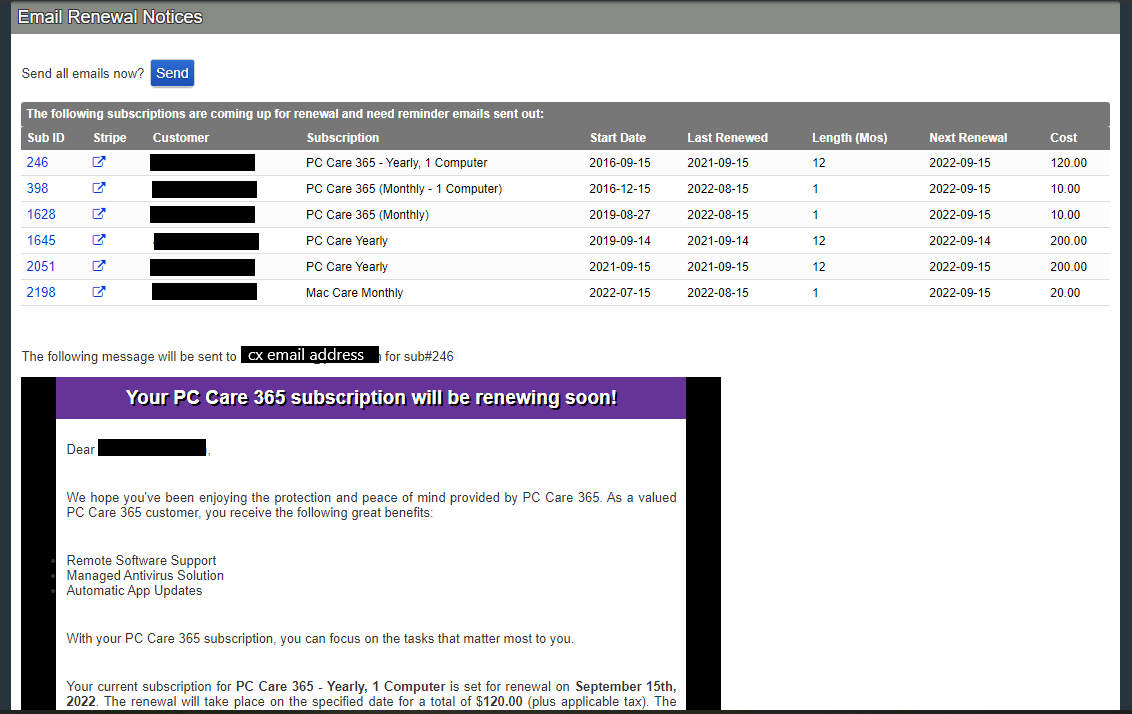
In the image above, you can see the customers with renewals coming within the next two (2) weeks and below that will be the previews of the messages to be sent. Scroll down the page to check over the reminders ensuring the subscription names match what is shown in the Subscriptions column and that the prices are accurate for the subscription type. Use the pricing guide below for the subscriptions that have renewal reminder templates:
- $200 plus tax- PC Care/Mac Care Yearly
- $120 plus tax- PC Care 365/Mac Care 365 Yearly (old plan name/pricing)
- $20 plus tax- PC Care/Mac Care Monthly
- $10 plus tax- PC Care 365/Mac Care 365 Monthly (old plan name/pricing)
- $60 plus tax- Webroot Yearly
All other subscription services do not currently have renewal reminder templates in PCRT. If they are listed on the renewal page, they will appear in a section labeled _“The following subscriptions may need attention”_. View Opt Out of Reminders to see how to address these items.
Once you’ve confirmed that the email previews match the subscription information, click the blue Send button underneath the page title. The page will load into the confirmation page showing the emails have been sent.
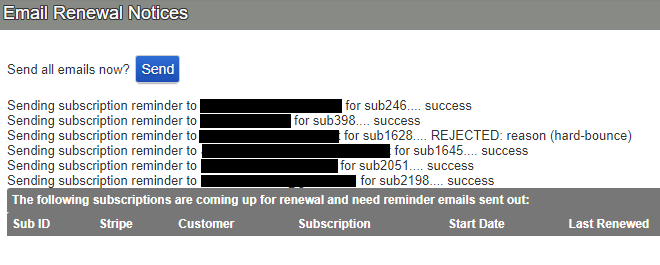
As you can see in the image above, all but one of the emails was sent successfully. One email is listed as “_REJECTED reason (hard bounce)_”. This means that the customer’s email address is no good. You will need to view the customer’s device asset to see if an alternative email address is listed.
If there isn’t an alternative email address, you will need to call the customer letting them know about the upcoming renewal. Let them know the date and renewal cost. At this same time, ask them if we can update their contact information as the reminder email wasn’t able to be sent with what we have on file.
Once the customers have been notified, either by email or phone, you can close out the window and move on to another task.
It’s recommended to do this daily as we have a lot of subscriptions that renew at different times. There will be days when there is nothing listed in the _“The following subscriptions are coming up for renewal and need reminder emails sent out:”_ section. On these days, just close out the window and move on to the next task.
Opt Out of Reminders
Should there be items listed in the “_The following subscriptions may need attention” _section of the Email Renewal Notices page, you will need to edit their subscription to opt out of the renewal reminders.
The reason for this is because no template exists for that subscription type.
Click the blue Sub ID listed to the left of the customer name.

You will load into the Subscription History page. Click on the blue Edit button at the bottom of the page. You’ll load into the _Edit Subscription_ page.
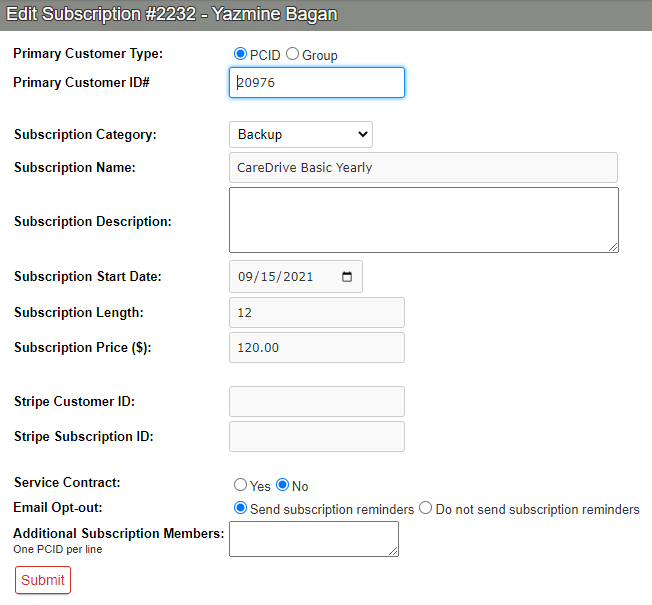
Near the bottom of this page you will see the *Email Opt-out *with two radio buttons. By default “_Send subscription reminders”_ is selected. Click the radio button next to “_Do not send subscriptions reminders”_ to change the preference.
Now click the red outlined button Submit to save the changes.
If you refresh the Email Renewal Notices page, that subscription will now be gone.