Sending SMS
This article covers how and when to send SMS to customers.
Sending SMS can increase speed with contacting a customer but should not be the only form of communication used. SMS should be used in conjunction with telephone calls and emails.
When to send
The main time to send is when a customer is unable to be reached via a phone call and their voicemail is full/unavailable. If a customer requests to be reached by SMS only then notate this on the work order.
How to send
There are two ways to send SMS to a customer. The primary way would be directly from the Messages section of the PCRT Work Order.
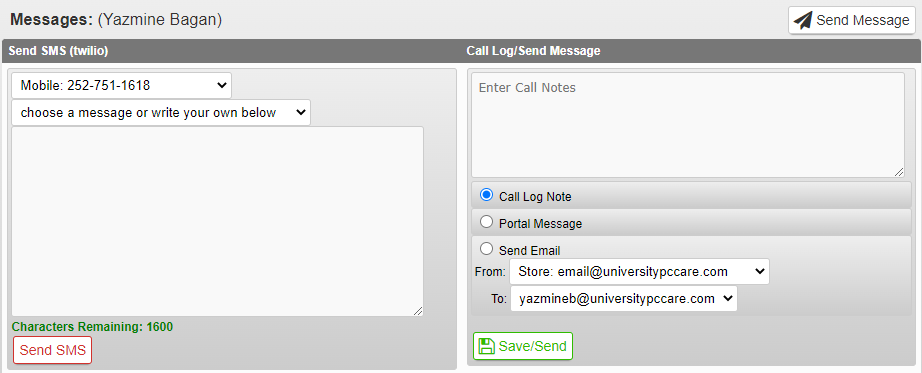
Enter your message in the text field. Double check the message for spelling and grammar before clicking the Send SMS button at the bottom of the field.
There are templates you can use via the drop down menu of this area. You can also use the SMS Templates document to assist you. Please make sure to adjust templates to suit your specific situation.