How to use AST1
Running AST1 is an important step for all 2014 and older Macs. It provides helpful information about the state of the hardware, similar to AST2.
The computer should be connected to Ethernet the entire time. There should be multiple ethernet cables at each workstation for you to use.
- If the computer is on, turn it off.
- While the computer is powered off, press the power button and let go, then immediately hold down the Option (Alt) Key.
This should load you to the boot menu. The options for the Diagnostics suite can show as either “Diagnostics” or “64bit Apple Service Tools”!
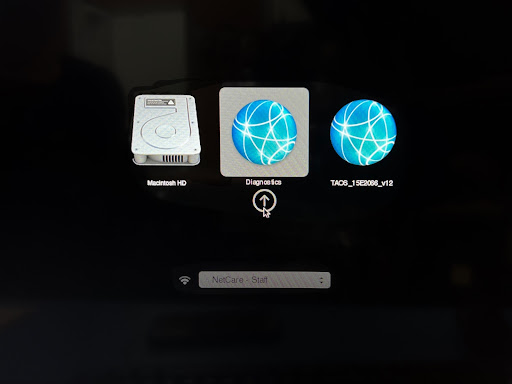
- It will ask “Do you have permission to proceed?”, click Yes.
In the Diagnostics Gateway you can choose the most relevant triage tool, however it will most likely be MRI: Mac Resource Inspector.
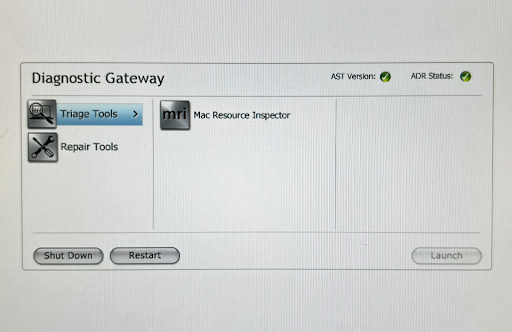
- Review the results and discuss them with the customers.