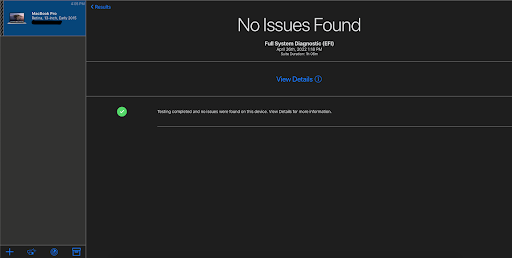
How to use AST2
Running AST2 is an important step for all mac computers that were made in 2015 or newer. It provides helpful information about the state of the hardware.
Your computer should be connected to Ethernet the entire time. There should be multiple ethernet cables at each workstation for you to use.
- If the computer is on, power off the device.
- Click the power button and let go, then immediately hold down the Option+D Keys.
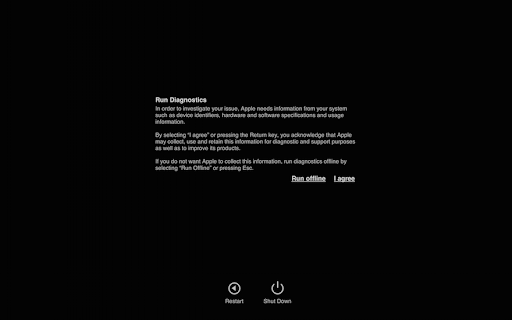
- You will see the spinning globe with the message “Starting Internet Recovery. This may take a while.”, You can let go of Option+D at that point.
- You will come to the “Run Diagnostics” page (see image), at that point go to the website diagnostics.apple.com on your workstation.
- Once into the AST2 website, enter the computer's serial number.
- Once the serial number is in you should see all available diagnostics you can run. Select the most relevant diagnostic, however it will most likely be MRI: Mac Resource Inspector.
- Once you have selected the appropriate diagnostic, go back to the customers computer and hit “I agree”. The computer in the AST2 website will show a blue bar and the diagnostics should start.

- Click “View Details” to review the results.