iOS Diagnostics
This article details when diagnostics need to be run on iOS devices, and how to run them.
How to service
It is important to know how we, as a company, will service the customers device. Follow the iOS Service Matrix to determine how best to support the customer.
When to run diagnostics
iOS diagnostics do not take long to run. Unless the device will not power on, diagnostics should be run and completed at the front counter. You can finish all the needed diagnostics before the customer leaves.
How to run diagnostics
- On a shop device, go to diagnostics.apple.com
- Once into the AST2 website, enter the computer's serial number.
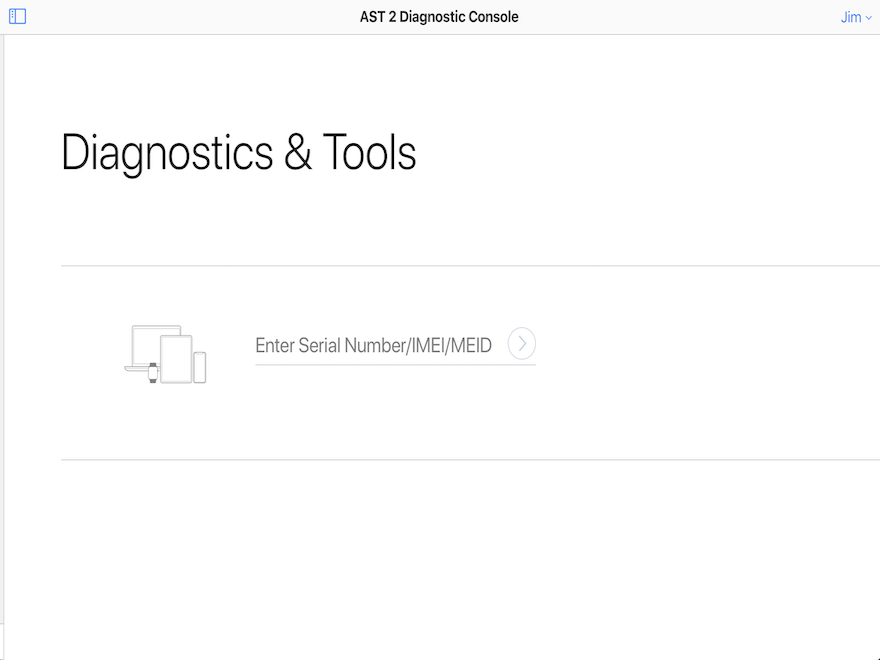
- Once the serial number is in you should see all available diagnostics you can run. Select the most relevant diagnostic, however it will most likely be Mobile Resource Inspector.
- Now unlock the customer's iPhone and open Settings.
- Scroll down and select Privacy.
- Scroll down and select Analytics & Improvements.
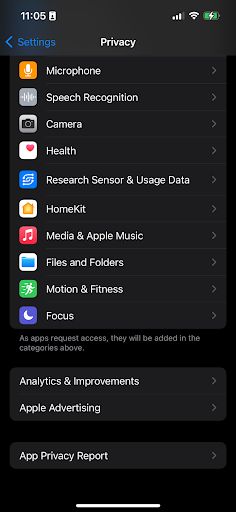
- Select Start Diagnostics with Apple Support. If you do not see that option that means the diagnostics session was not started in AST2 properly.
- Hand the customer's device back to them and instruct them to read the disclaimer text and select Agree
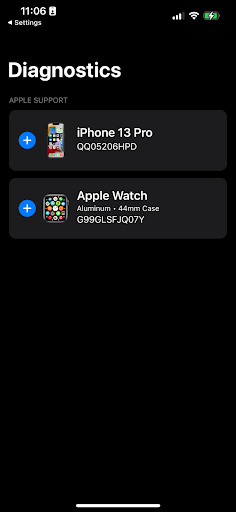
- If the customer has an apple watch or another device you will see a menu like this, just hit the + by the device you want to run diagnostics on.