Escalating Apple Memo Issues
How to escalate issues to Apple regarding billing.
Escalating Billing Issues to Apple
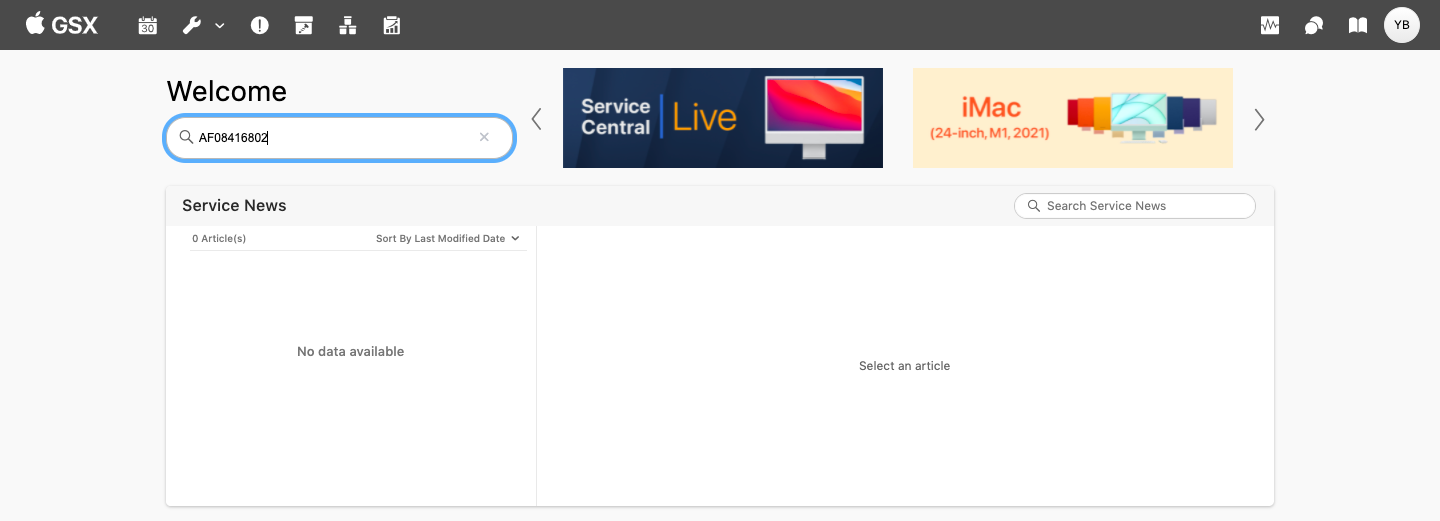
Using the Invoice/Debit/Credit number that you have listed on the Apple Billing email attachment, sign in to GSX and enter the number into the search bar to the left of the GSX Home page.
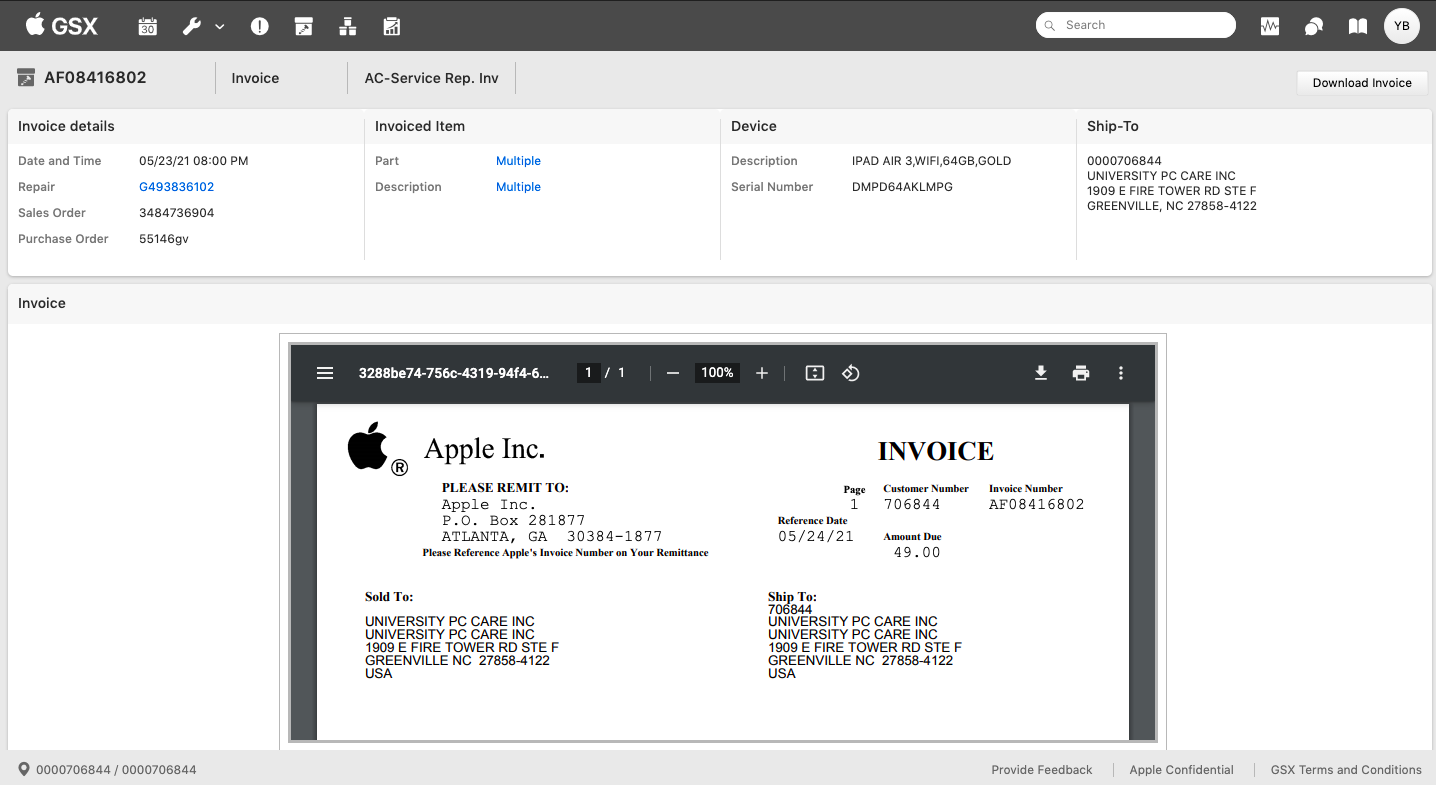
The next page to load will be the document details as shown below. In the top right-hand corner near the top Search bar, you’ll see two overlapping chat bubbles. Click on this icon.
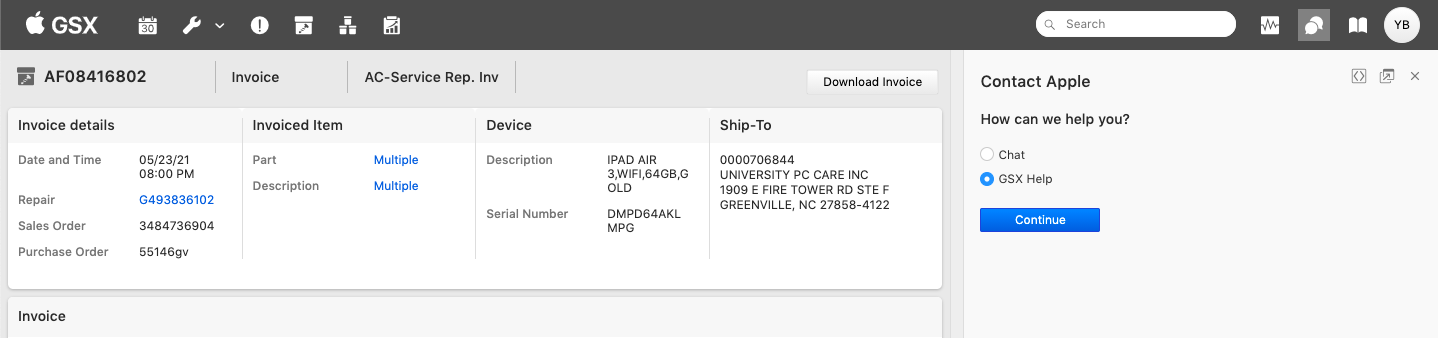
A side panel will appear giving you two options for contacting the service side of Apple Support. In order to create an escalation, you will need to select GSX Help. The Continue button will turn blue allowing you to click and move on to the next step.
The side panel will update to show the required fields. For Billing issues, you will need to select one of the three *Billing/Invoice Issue *options which are, Reason for Debit, Labor Reimbursement, and Service Excellence. You will rarely use the Service Excellence option when escalating a billing issue.
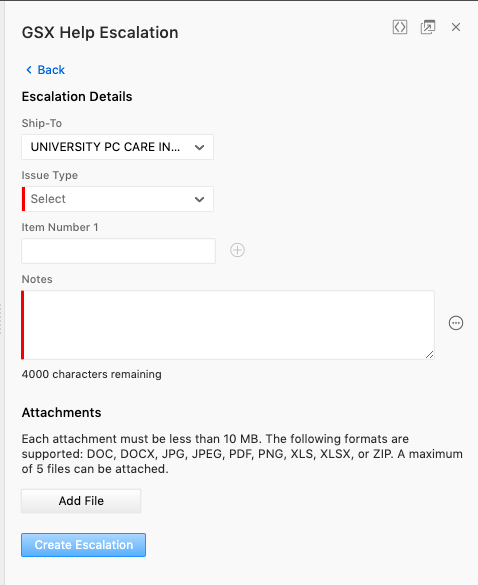
In the Notes text field, you will make your inquiry as if you were sending an email to a customer. Provide all the information you have cordially in the note. You can type your message into a word document prior to copying and pasting it into the notes section to allow for editing of grammar and spelling. Be professional and direct. See the example below.
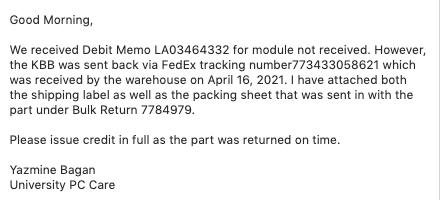
Add any important attachments to the submission form before clicking the blue Create Escalation button. This button will not become active until you have completed all the required entries on the form.
The screen will refresh and load to the newly created Escalation page. Your escalation number will be in the top left corner of the screen. You will need to notate this number on the AB Issues spreadsheet in order to follow up on it in the future. While open the Escalation will appear in the Escalations section of your GSX interface.
Make sure to create a Work Order under the store’s master asset to track the details of the escalation, invoices/debits/credits we may receive, and all relevant details such as but not limited to tracking information, repair IDs, etc.